Calendar Reminders
Use the Calendar tab to schedule, review, and act on every upcoming expense, reminder, and notification so your fleet stays on time and nothing slips between appointments.
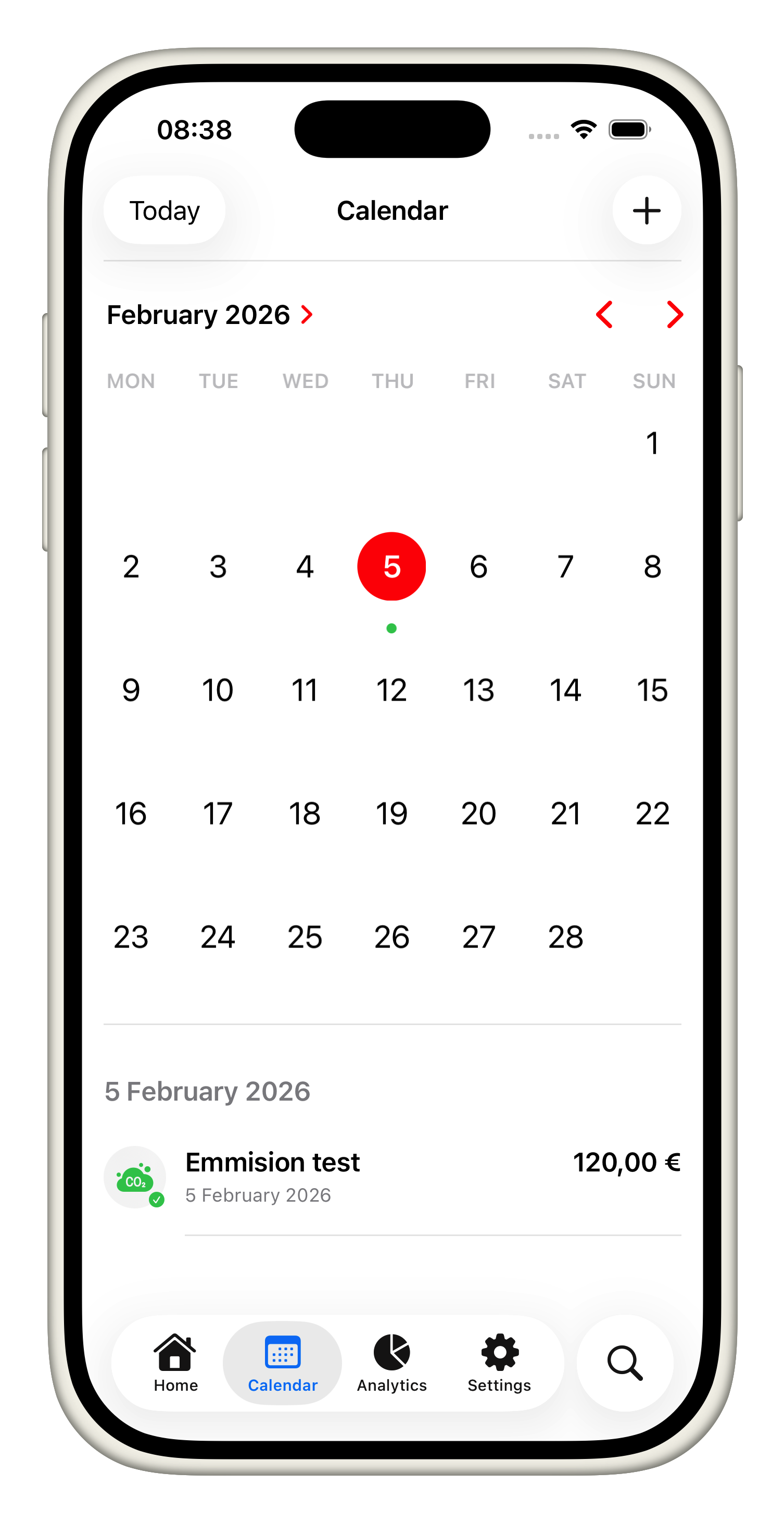
What you can do:
- Pick any date to open the inspector, see all pending/delivered reminders, and add context notes before adding a follow-up expense.
- Create new entries directly from the calendar: tap the “+” inside the inspector, choose category/vehicle, set the amount or odometer, attach a reminder, and the app wires that record to the selected date.
- Grant notification access once so reminders fire reliably, and then scan the timeline to understand which alerts are queued, which have fired, and which still need attention.
- Swipe between weeks or months in the custom calendar view to plan ahead, then tap any reminder to jump back into the related expense, update it, or mark it complete.